.svg)


.avif)
You have data on-premises. But in the cloud, you build analytics and AI on your Databricks Data Intelligence Platform. Getting one to talk to the other is harder and more expensive than it should be.
Today, organizations that need their on-premises data available in Databricks face two options, and neither is good. You can build and maintain complex pipelines to copy data between systems. Or you can ingest the same data into multiple platforms. In practice, teams end up relying on SFTP jobs, S3 bucket syncs, or worse, Dropbox and email, to bridge the gap. Both approaches trade speed, cost, and governance for access. Cost grows with scale. Risk grows with complexity. Latency grows with ambition. As AI adoption increases, these penalties compound.
For many datasets, copying isn't even a realistic option. Some data is time-sensitive, stale by the time a transfer completes. Some data is subject to sovereignty requirements and can not leave the premises at all. And some datasets are simply too large to move economically, where sampling them would lead to incomplete analysis.
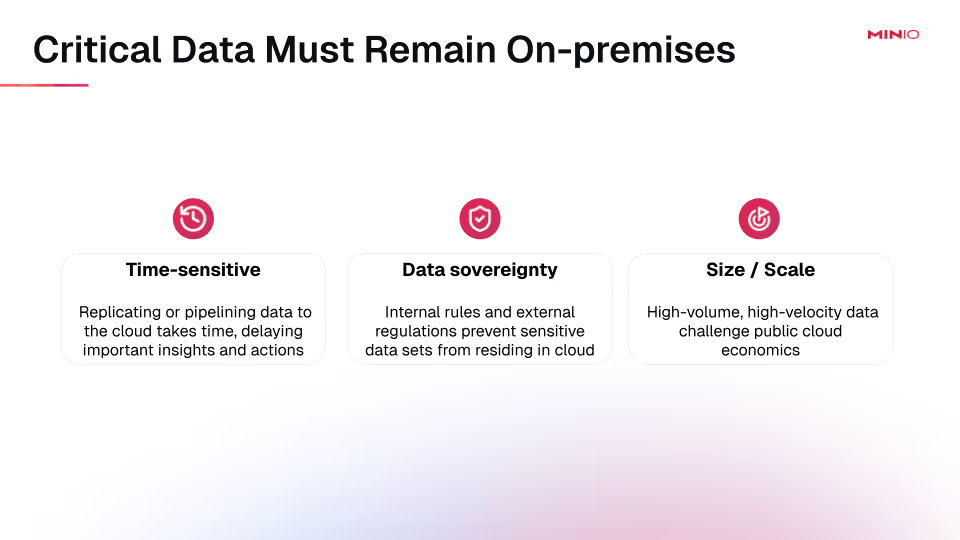
Enterprise data is hybrid by design. The question is how to make hybrid analytics work without friction, without new infrastructure, and without locking into a single platform. Databricks Serverless and stateful compute have made the platform faster and cheaper to run, which only makes the data access gap more visible.
AIStor Table Sharing solves this through a native implementation of the Delta Sharing protocol. It provides governed, zero-copy access to on-premises data directly from Databricks, with no replication, no data movement, and no new security gaps. MinIO AIStor is the only object store for on-premises data that natively supports Delta Sharing. It supports both Delta Lake and Apache Iceberg™ tables, with an integrated Iceberg REST catalog for unified management. Delta Sharing is embedded directly into the AIStor binary, so there are no sidecar containers or third-party proxies to deploy. Authentication is flexible, supporting bearer tokens for simple access and OAuth2/OIDC integration for enterprise-grade identity federation. For regulated industries, this is a significant improvement over traditional sharing methods that lack fine-grained access controls and auditability.
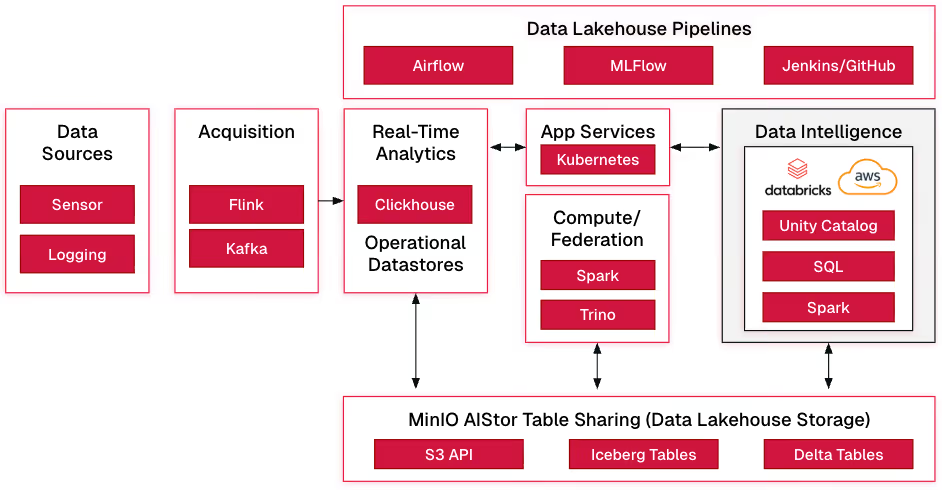
The rest of this post walks through how to connect AIStor to Databricks, from deployment and data preparation through sharing configuration and live queries.
How It All Works
Connect AIStor to Databricks
- Deploy and License AIStor
Set up an AIStor instance (single-node for dev/lab or clustered for production) using the most recent release. Obtain a license to enable Table Sharing features. Use containers or bare-metal deployment based on your deployment preference.
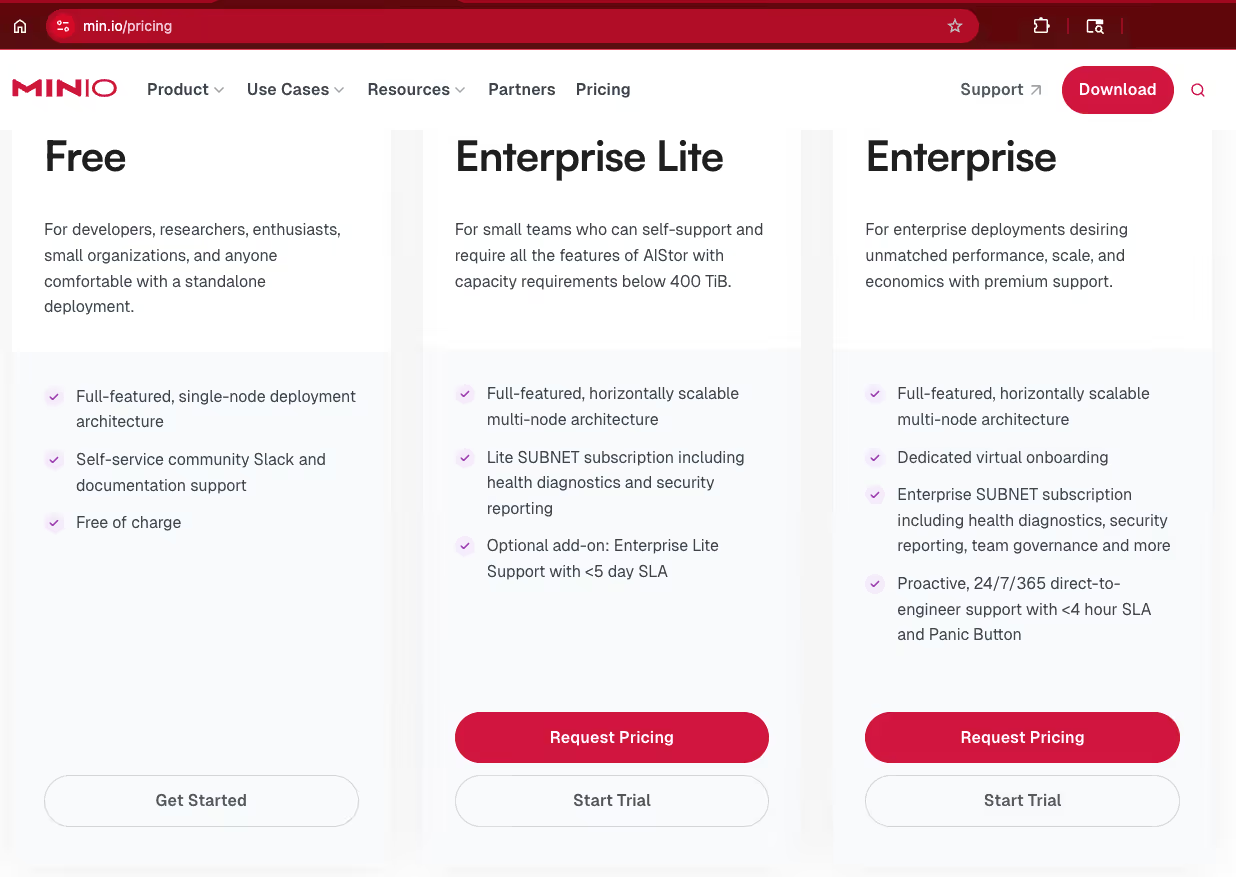
Visit our pricing page and choose the free tier license.
- Prepare Data in AIStor
Store your Delta Lake in AIStor buckets (S3-compatible paths) and/or Iceberg tables leveraging AIStor Tables. Ensure tables follow open table format specifications. Use AIStor to provision and manage buckets, upload data, and verify accessibility.
Share: test
ID: c74c939b-d17a-4b8d-9270-7600ad53a71c
Created: 2026-01-25T23:52:59Z
Updated: 2026-01-25T23:53:57Z

Schemas:
  └─ tpch (2 tables)
      ├─ orders [Delta]
      │   Bucket: testdelta
      │   Location: tpch/orders
      └─ customer [UniForm]
          Warehouse: testice
          Namespace: tpch
          Table: customer
- Share the Recipient Profile with Databricks
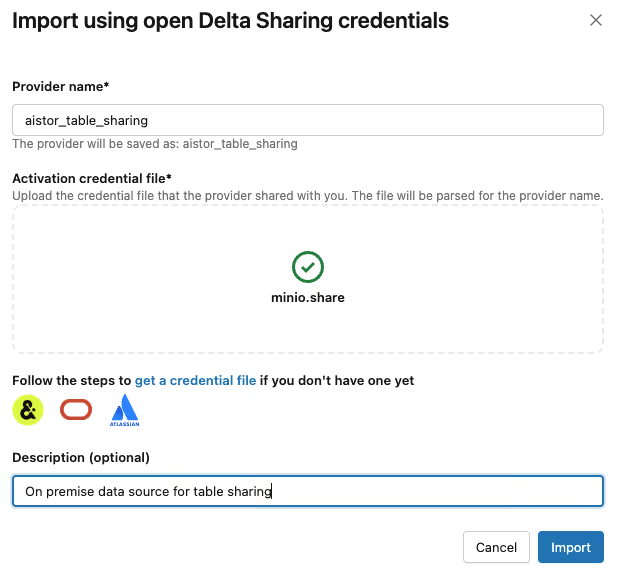
Provide the Delta Sharing recipient profile (typically a JSON or config file containing the endpoint URL and bearer token or OAuth details) to the Databricks user/admin. In Databricks, create an external Delta Sharing connection using this profile (via the UI under "Delta Sharing" → "Open Sharing" or catalog setup).
- Access and Query Data in Databricks
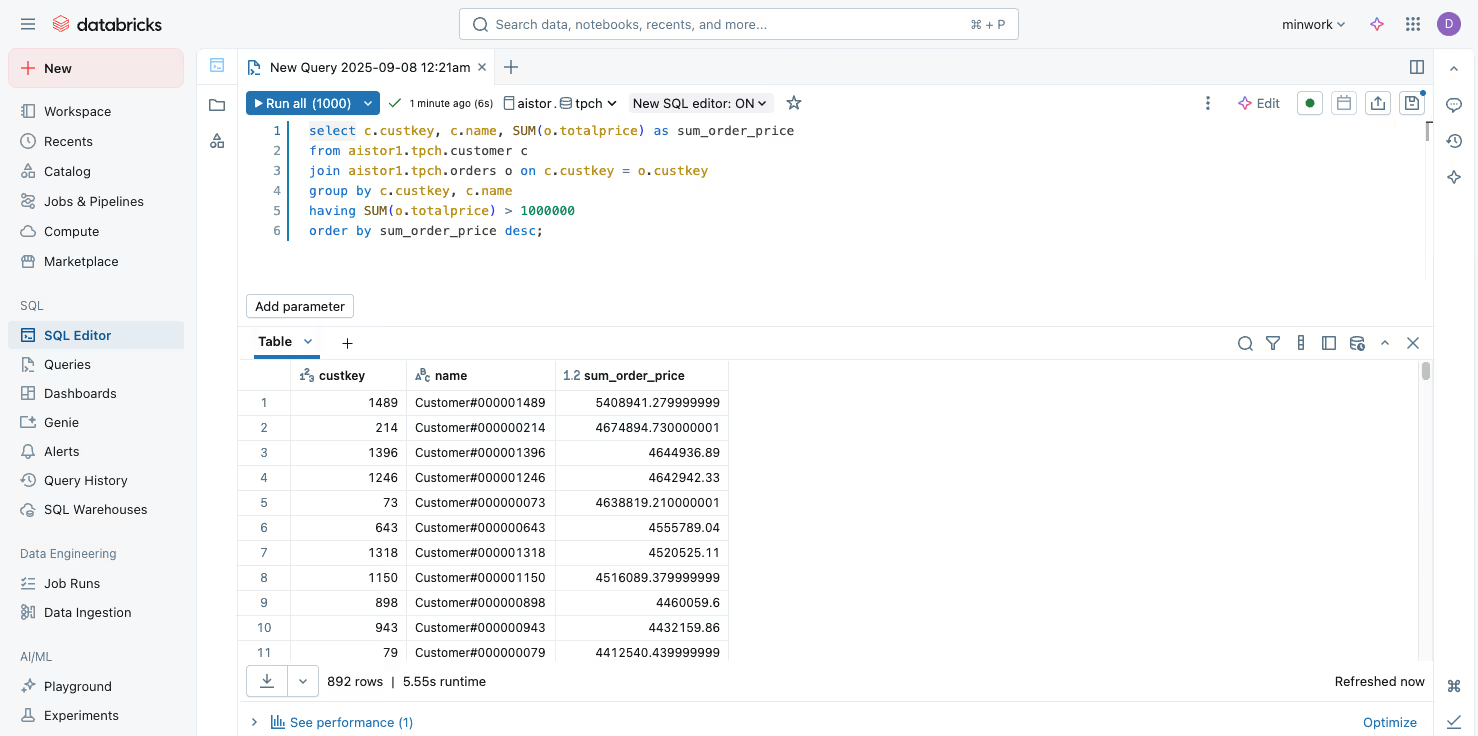
In Databricks notebooks or SQL queries, reference the shared tables from your Workspace Catalog (e.g., SELECT * FROM share_name.schema_name.table_name). Databricks reads live metadata and data directly from the AIStor endpoint (zero-copy), enabling real-time analytics on on-prem data without duplication.
select c.custkey, c.name, SUM(o.totalprice) as sum_order_price
from aistor.tpch.customer c
join aistor.tpch.orders o on c.custkey = o.custkey
group by c.custkey, c.name
having SUM(o.totalprice) > 1000000
order by sum_order_price desc;
Security Requirements
- Authentication Flexibility: Use bearer tokens for simple/local access or integrate OAuth2 (via OIDC) with an identity provider (IdP) for production-grade, federated authentication: allowing mixed usage (e.g., bearer for internal testing, IdP for external/sensitive data).
- Granular Policies and Controls: Implement fine-grained access policies in AIStor to restrict users/groups to specific tables, schemas, or paths, maintaining strict authority and reducing exposure risks compared to insecure methods like SFTP/email/S3 shares.
Networking Requirements
- High-Performance Connectivity: For production AI/ML workloads, use fast networking (10 Gbps+ interfaces or even 100 Gbps, if available) to handle large-scale data access and low-latency queries: 1 Gbps is sufficient for evaluation and validation.
- Secure External Access Options: For connecting on-prem AIStor to cloud-hosted Databricks, leverage hyperscaler private links (e.g., AWS, Azure, Google Cloud) to ensure secure, low-latency communication without public internet exposure (public internet is also possible).
This approach empowers on-prem data to participate in Databricks workflows while preserving sovereignty, security, and performance. For detailed commands/YAML examples, refer to the AIStor Table Sharing Guide and AIStor documentation.
Getting Started
For organizations that need Databricks-based analytics, AI, and machine learning powered by their valuable on-premises data, AIStor Table Sharing provides a clean, standards-based bridge. By natively implementing the Delta Sharing Protocol inside high-performance, S3-compatible object storage, AIStor removes the traditional barriers of data silos, movement, latency, and risk.
The result is governed, secure, zero-copy access that enables your teams to collaborate across environments without compromise, keeping data where it belongs while making it fully discoverable and usable in Databricks. This unlocks hybrid potential, accelerates time-to-insight, and positions on-premises infrastructure as a strategic asset in the AI era.
Ready to connect your on-premises data to Databricks? Start with a free AIStor license and explore the setup in environments such as local containers or production clusters. Get started with the Table Sharing docs.
.svg)